


Daily Recipes Cook Book
4.7528.00 Reviews
App Specs
- Version
- 36.1.3
- Updated On
- License
- Free
- Downloads
- 1,000,000+
- Developer
- One Music Player
- Categories
- Food & Drink
- Platform
- Android
Screenshots
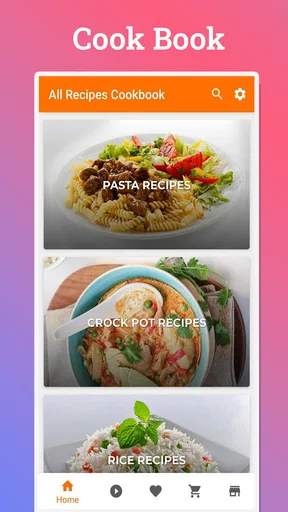
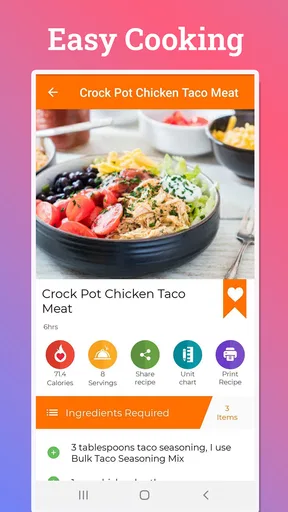
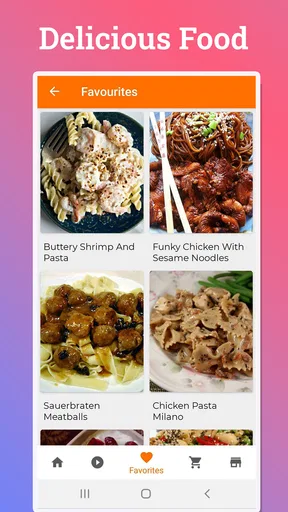
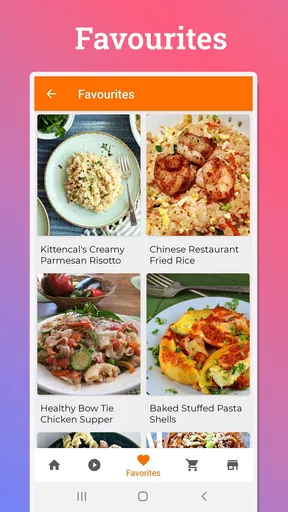
 Analysis by AppCompare
Ever found yourself staring blankly into your fridge, wondering what on earth you can whip up for dinner? Well, say goodbye to those culinary conundrums because the Daily Recipes Cook Book app is here to save the day. This app is like having a personal chef right in your pocket, ready to inspire with delicious ideas that suit whatever ingredients you have on hand.
That promise is most useful when I treat the app as a source of ideas rather than a substitute for judgment. A recipe can help me decide what to cook, but I still need to check whether its ingredients suit my household, whether I have enough time, and whether a suggested swap is sensible. For someone building confidence in the kitchen, that distinction matters: inspiration lowers the barrier to starting, while a little planning keeps dinner from becoming an experiment at the worst possible moment.
As a free food-and-drink app from One Music Player, Daily Recipes Cook Book has a low-friction starting point. It has a 4.7 average from around twelve thousand ratings and more than a million installs, which suggests it has reached a broad audience, though those figures alone cannot tell me whether a particular recipe fits my tastes. The app is rated for Everyone, and the current version is 36.1.3, with Android 8.0 or later required. Optional in-app purchases range from $0.99 to $99.99 per item, so I would check any purchase prompt carefully rather than assuming every part of the experience is included at no cost.
Exploring the Features
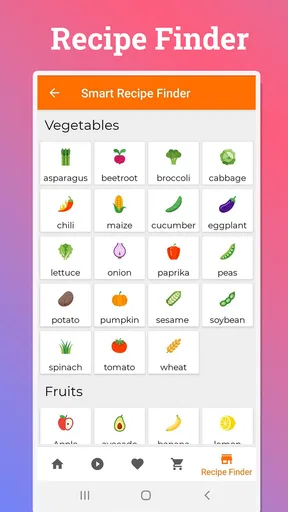
The Daily Recipes Cook Book is packed with features that make meal planning a breeze. One of the standout features is the "What's in Your Fridge?" option. Just input the ingredients you have, and bam! The app serves up a smorgasbord of recipes tailored to what you've got. It's like magic, but with more garlic.
In practical use, I would enter ingredients I genuinely need to use soon, then look beyond the first suggestion and compare several possible dishes. That small habit can help prevent a common recipe-app trap: choosing a meal because it looks appealing, then discovering that it calls for several extras and does not actually use up the food I hoped to finish. Ingredient matching is most valuable when it reduces waste, not when it sends me back to the shop for a completely different basket.
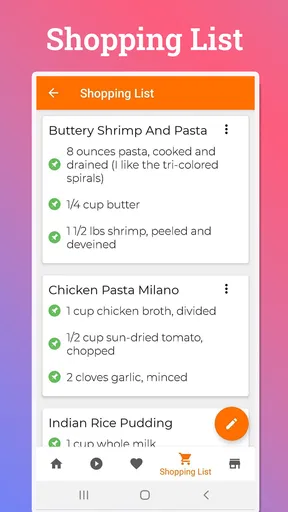
Another nifty feature is the meal planner. You can organize your week of meals in advance, which is super handy if you're trying to be more organized or if your life is just a little too hectic. Plus, each recipe comes with a detailed shopping list that you can tick off as you shop. No more forgotten items at the store!
I would use that planner as a flexible outline rather than a strict schedule. A realistic routine is to pick a few dinners before the week begins, note the ingredients I do not already have, and leave at least one slot open for leftovers or a change of plans. That makes the shopping list more useful and avoids buying produce for an ambitious menu that may not survive a busy week. It is also worth checking quantities and pantry staples before heading out; a digital list is helpful, but it cannot know what is already in my cupboards unless I review it myself.
Worth Reading Before You Choose

Flipboard Shows What News Apps Must Do Beyond the Feed

Switching to Android Auto Means Rethinking Your Driving Routine

Google Calendar Makes a Crowded Week Easier to Manage

Ludo King Makes the Most of the Minutes Between Plans

Baby Panda World Brings Quick Play to Modern Phones, but Its Game Library Feels Busy

ESPN’s Live Game View Makes Following Close Games Easier
And let's not forget the dietary filters. Whether you're vegan, gluten-free, or just a picky eater, the app allows you to customize your search to fit your dietary needs. It's incredibly inclusive, making sure everyone can find something tasty to try.
I would still treat filters as a first pass, not a medical guarantee. Anyone managing a serious allergy or a condition that requires strict ingredient control should read the full recipe and product labels, and should not assume a filter catches every source of risk. For everyday preferences, though, narrowing the choices before browsing can save time and make the results feel less random. The trade-off is that a narrower search may leave fewer ideas, so relaxing a preference that is not essential can bring back useful options.
Cooking Up a Storm
Once you've selected a recipe, the app doesn't just leave you to fend for yourself. Each recipe includes step-by-step instructions, complete with pictures and tips to ensure you don’t end up with a kitchen disaster. The interface is super user-friendly, and the instructions are clear and easy to follow, even for kitchen newbies.
For a first attempt, I would read the whole method before turning on the stove. That gives me a chance to spot a long preparation step, check that the equipment is on hand, and arrange ingredients in the order I will use them. It is a simple workflow, but it makes picture-led directions much easier to follow when my hands are messy and I am trying not to lose my place. Beginners benefit most when they do this once before cooking rather than discovering halfway through that a step needs more time than expected.
I decided to test it out with a simple pasta recipe. The app guided me through each step, from boiling the pasta to creating a delicious sauce. I felt like a pro chef by the time I was done. The dish turned out amazing, and my family couldn’t believe I hadn’t ordered in.
That kind of straightforward dish is also a good way to judge whether a recipe suits your own kitchen. I would pay attention to whether the directions explain timing clearly, whether the portions seem right for the people eating, and whether the ingredients are easy to find locally. If something is unfamiliar, I would make one change at a time rather than altering the recipe, seasoning, and cooking method all at once. It is easier to learn what worked when the experiment stays manageable.
Why You'll Love It
One of the things I love most about the Daily Recipes Cook Book is how it encourages you to try new things. With so many recipes at your fingertips, it’s easy to break out of your food rut and experiment with different cuisines. Whether you’re in the mood for something exotic or just want a new twist on a classic dish, this app has got you covered.
Compared with searching the open web, a dedicated recipe app can feel less scattered: I can move from an idea to a planned meal and a shopping list without juggling unrelated pages. A general search engine may be better when I need a very specific technique, a recipe from a particular author, or extensive explanations from cooks with a known point of view. A paper cookbook is still a calmer choice for someone who wants to browse without a screen beside the stove. The app’s appeal is the combination of discovery and practical organization, rather than replacing every other way of finding food ideas.
A useful way to explore without turning dinner into a gamble is to pair one familiar meal with one new idea each week. I can keep the reliable dish for a night when time is tight and try the unfamiliar recipe when I have room to adjust. If a new meal works, I can make a note of the substitution or timing that suited my kitchen; if it does not, the familiar fallback keeps the evening on track. This makes the app a tool for gradual habit-building, not just a feed of novelty.
The app also includes a social feature where you can share your culinary creations with friends or explore what others are cooking. It's a lovely way to connect with fellow foodies and gather inspiration.
Social inspiration is best used selectively. Seeing what other people cook can suggest a combination I would not have searched for, but a finished-dish photo does not tell me whether the method is reliable or how much effort it took. I would use those posts to collect ideas, then choose a recipe whose written steps and ingredient list fit the occasion. If I prefer a private, purely practical cooking tool, the social side may add little; the planner, ingredient search, and instructions are the more relevant reasons to keep using it.
Who Will Get the Most from It
I see the strongest fit for people who cook at home but often need help deciding what to make, especially beginners, busy households, and anyone trying to use groceries more deliberately. A student with a few ingredients left before shopping can search for a workable meal; a parent can sketch out several dinners and prepare a list; someone learning to cook can follow a structured recipe instead of piecing together instructions from scattered search results. The app is less compelling for cooks who already maintain a trusted recipe archive or who prefer to improvise without guidance.
It may also be the wrong choice if you need highly specialized nutrition controls, carefully vetted medical-diet recipes, or a highly curated collection tied to a particular chef or cuisine. In those situations, I would choose a specialist resource and use this app only for general inspiration. Likewise, if you dislike planning meals on a phone or find shopping lists more cumbersome than a paper note, its organizational tools may not change your routine enough to justify another app.
A practical weekday scenario shows where it earns its place: I get home with vegetables that need using, a limited amount of time, and no firm dinner plan. I check the ingredient ideas, choose a recipe that uses most of what I have, review the steps for any time-consuming preparation, and add only missing items to the shopping list for the next shop. The point is not that the app can predict my evening perfectly; it gives me a sequence of decisions that is easier than starting from a blank search box.
Final Thoughts
If you're someone who loves cooking or even if you're just trying to get better at it, the Daily Recipes Cook Book is a fantastic tool to have. It's like having a culinary companion who always knows what you’re in the mood for, even when you don’t.
My recommendation comes with a clear condition: use it as a practical prompt and verify the details that matter to your own meal. Ingredient suggestions can help me spend food before it spoils, planning can make shopping more intentional, and clear directions can make an unfamiliar dish feel approachable. But no app removes the need to check timing, portions, substitutions, or dietary suitability. That is a fair trade for a free starting point, especially if the available in-app purchases are not needed for the way you cook.
Downloading this app was a game-changer for me. No more indecisive dinner nights or repetitive meals. It’s a delightful mix of convenience and creativity that makes cooking fun and stress-free. So, go ahead, give it a try, and let it transform your kitchen adventures.
For my part, I would recommend giving it a place in your routine if meal ideas and grocery planning are the sticking points. Start with ingredients you already own, try a familiar recipe before relying on it for an important occasion, and keep a backup option for evenings when plans change. If you want a highly specialized nutrition guide or a curated cookbook experience, another resource will serve you better. For everyday home cooks who need a nudge from “what’s for dinner?” to a workable plan, this app is a friendly, useful companion.
Pros
- Extensive recipe collection for all cuisines.
- User-friendly interface with easy navigation.
- Option to save favorite recipes for quick access.
- Nutritional information provided for each dish.
- Offline access to saved recipes.
Cons
- Limited customization for dietary restrictions.
- Occasional ads can interrupt browsing.
- No video tutorials for complex recipes.
- Requires sign-up for personalized features.
- Lacks a built-in shopping list feature.
FAQs for Daily Recipes Cook Book
What is Daily Recipes Cook Book and how does it work?
Daily Recipes Cook Book is a comprehensive app designed for food enthusiasts who wish to explore new culinary adventures. It offers a vast collection of recipes from various cuisines, complete with step-by-step instructions and ingredient lists. Users can search by dish type, cuisine, or dietary preference, making it easy to find the perfect recipe for any occasion.
Is Daily Recipes Cook Book free to use, or are there in-app purchases?
Daily Recipes Cook Book is free to download and use, providing access to a wide range of recipes. However, it offers in-app purchases for premium features such as ad-free browsing, exclusive recipes, and advanced meal planning tools. Users can enjoy the basic features without any cost, but premium options enhance the overall experience.
Can I use Daily Recipes Cook Book offline?
Yes, Daily Recipes Cook Book allows users to save their favorite recipes for offline access. This feature is particularly useful for those who don’t have constant internet access or prefer cooking without distractions. Simply save the recipes while online, and they will be available for offline use whenever needed.
Does Daily Recipes Cook Book accommodate dietary restrictions?
Absolutely, the app is designed to cater to various dietary needs. Users can filter recipes based on dietary preferences such as vegetarian, vegan, gluten-free, or low-carb options. This ensures that everyone can find delicious recipes that align with their dietary restrictions, making meal planning more accessible and inclusive.
How often are new recipes added to Daily Recipes Cook Book?
Daily Recipes Cook Book frequently updates its library with new recipes to keep the content fresh and exciting. Users receive notifications for newly added recipes, ensuring they never miss out on trending dishes or seasonal favorites. Regular updates provide users with a dynamic and evolving cooking experience.


